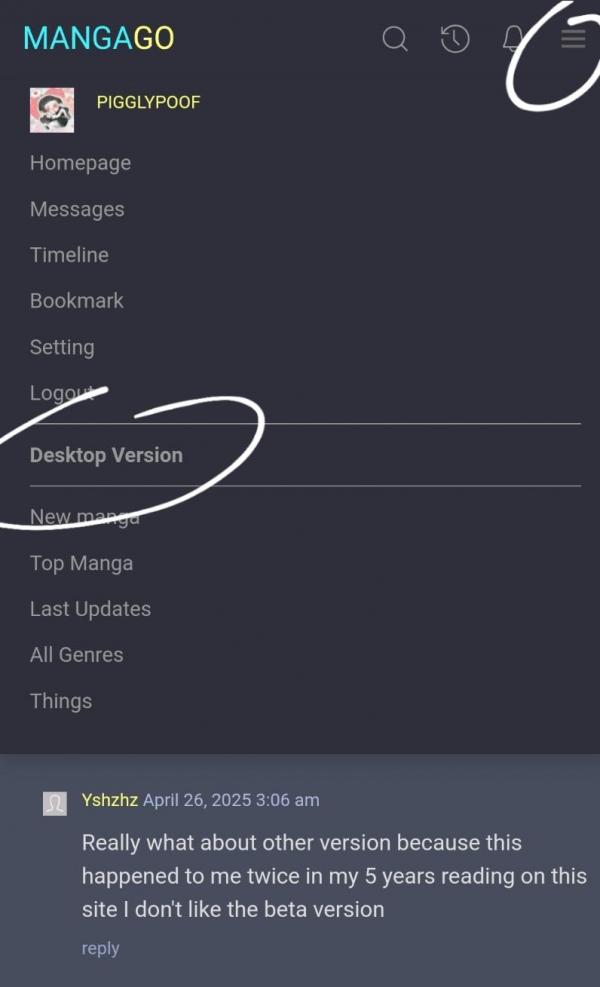
To switch to desktop:
- Open the menu by clicking on the symbol with 3 horizontal lines in the top right corner. You should see an option that says desktop version.
To switch to mobile:
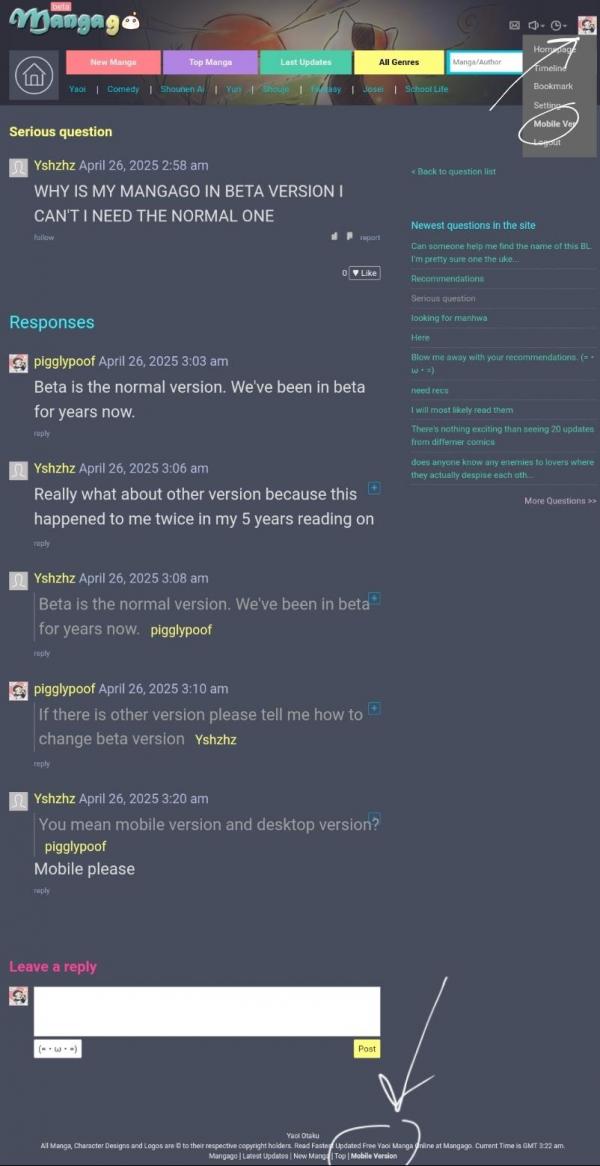
- Open the menu by clicking on your pfp in the top right corner. You should see an option that says mobile version.
- You can also scroll to the bottom of the page. There should be an option for mobile version there too.



Messages
Thanks it worked
Yay! (๑•ㅂ•)و✧
It doesn't work and there is no mobile version down there
Try logging out and logging back in. Some ppl have said that it helps reset their mgg.