Premise: I don't think Mangago will shut down but since everyone is talking about it, here's a method to download your lists without any programs.
1. With your PC open Mangago on Google Chrome. This will work ONLY for lists!
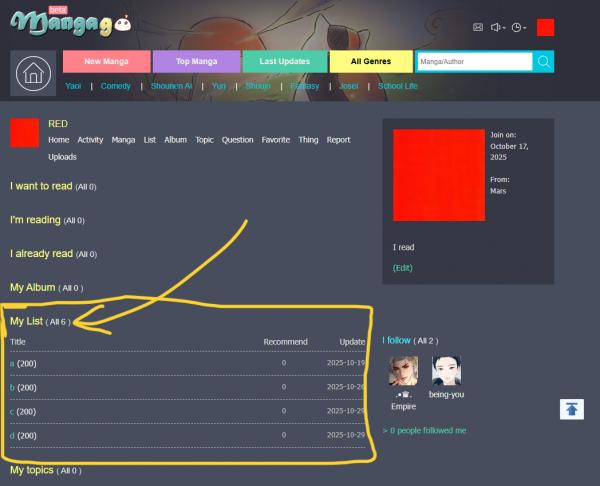
2. Open your manga list. I opened "a" for this example.
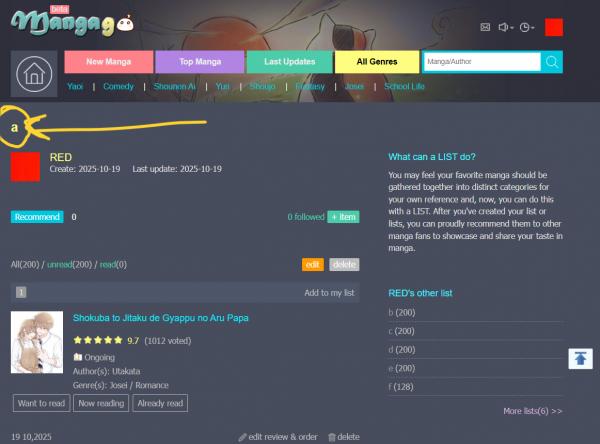
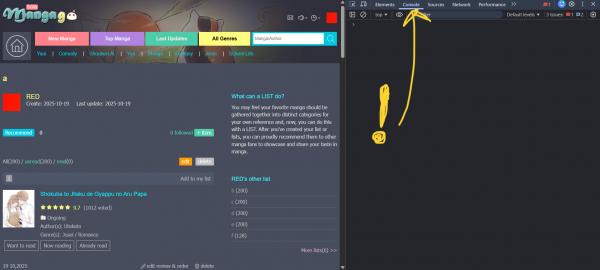
3. Press F12 (or right click with your mouse and select Inspect) to open Developer Tools. Be sure to be on the Console tab!!!
4. Paste the script I'll leave below. Now it's very important that you pay attention here! Every list has a reference code (for my list "a" the reference code is 3275376 as you can see from the picture). It is very important that you change this reference code in the script! When you do, press enter at the end of the script and let the code run.
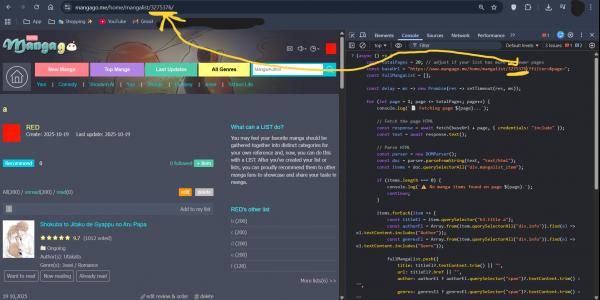
5. If you have written the code correctly, you will see it running. Wait until the console shows a message that scraping is complete.
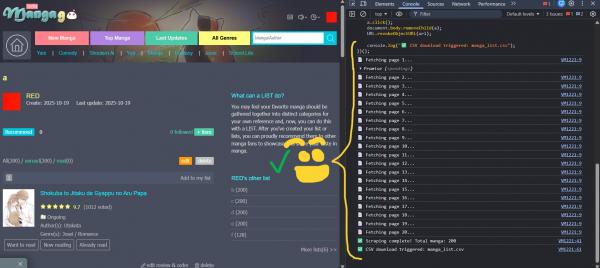
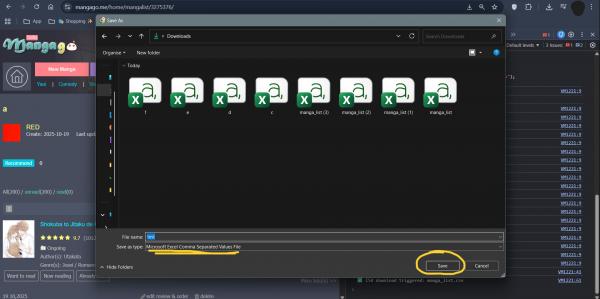
6. When prompted, your browser will automatically download a file named manga_list.csv. It is an Excel file with all your reads!
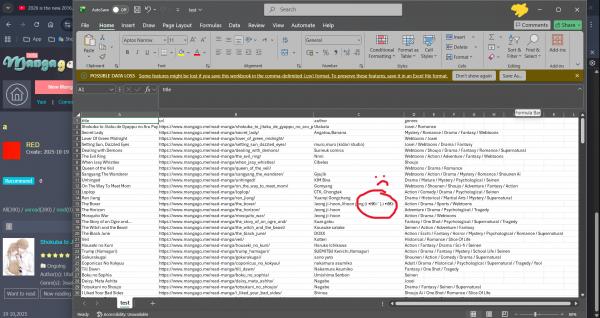
7. Open manga_list.csv with Excel (or any spreadsheet program) and you should get what I get here below in the picture! Some characters may display incorrectly due to encoding issues (as you can see in the pic below) but this can be ignored. It also doesn't copy all authors names (I still don't understand why) but as long as you have the name, you should be fine...
Hope this helps! This whole process should take a minute or two at most if you have good internet. Repeat the process for other lists BUT MAKE SURE TO CHANGE THE REFERENCE CODE EVERYTIME!!! It also works with other people's lists :)
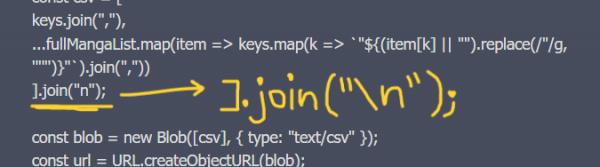
PS! The code should be corrected in the 39th line. A backwards slash should be added before the n (Mangago doesn't allow writing it apparently).



Messages
Hi! should this work for "read" "want to read" lists as well?
Nope! Those need a different code. I was working on it but ultimately gave up xD I might resume if it's much needed!!
nah its okay lol i gave up too bc the thing i was hoping to do with it doesnt actually work hahah
(async () => {
const totalPages = 20;
const baseUrl = " https://www.mangago.zone/home/mangalist/!!!CODEREFERENCE!!!/?filter=&page=";
const fullMangaList = [];
const delay = ms => new Promise(res => setTimeout(res, ms));
for (let page = 1; page <= totalPages; page++) {
console.log(` Fetching page ${page}...`);
const response = await fetch(baseUrl + page, { credentials: "include" });
const text = await response.text();
const parser = new DOMParser();
const doc = parser.parseFromString(text, "text/html");
const items = doc.querySelectorAll("div.mangalist_item");
if (items.length === 0) {
console.log(` No manga items found on page ${page}.`);
continue;
}
items.forEach(item => {
const titleEl = item.querySelector("h3.title a");
const authorEl = Array.from(item.querySelectorAll("div.info")).find(el => el.textContent.includes("Author"));
const genresEl = Array.from(item.querySelectorAll("div.info")).find(el => el.textContent.includes("Genre"));
fullMangaList.push({
title: titleEl?.textContent.trim() || "",
url: titleEl?.href || "",
author: authorEl ? authorEl.querySelector("span")?.textContent.trim() : "",
genres: genresEl ? genresEl.querySelector("span")?.textContent.trim() : ""
});
});
await delay(500);
}
console.log(` Scraping complete! Total manga: ${fullMangaList.length}`);
const keys = ["title", "url", "author", "genres"];
const csv = [
keys.join(","),
...fullMangaList.map(item => keys.map(k => `"${(item[k] || "").replace(/"/g, '""')}"`).join(","))
].join("n");
const blob = new Blob([csv], { type: "text/csv" });
const url = URL.createObjectURL(blob);
const a = document.createElement("a");
a.href = url;
a.download = "manga_list.csv";
document.body.appendChild(a);
a.click();
document.body.removeChild(a);
URL.revokeObjectURL(url);
console.log(" CSV download triggered: manga_list.csv");
})();
In the third line, remember to change !!!CODEREFERENCE!!! with the list number